01
IFC support
Twins generated from IFC (BIM) models as well as DWG/DXF drawings.

den Digital Twin aims to make your physical assets legible in digital form: the structure's 3D model, the data coming from the field and the decisions made about it, meeting in one place. Building schematics, 3D models and virtual tours are generated from drawings (DWG/DXF; IFC later); its first application, running in pilot, is a virtual sales office for real estate projects. Connecting it to Second Brain's memory and running it on-site, on your organization's own infrastructure, is planned for later.
The screenshots are from the software running in a pilot project (Turkish interface). Unit statuses, prices and leads are fictional demo data; finishes and furniture are representative.
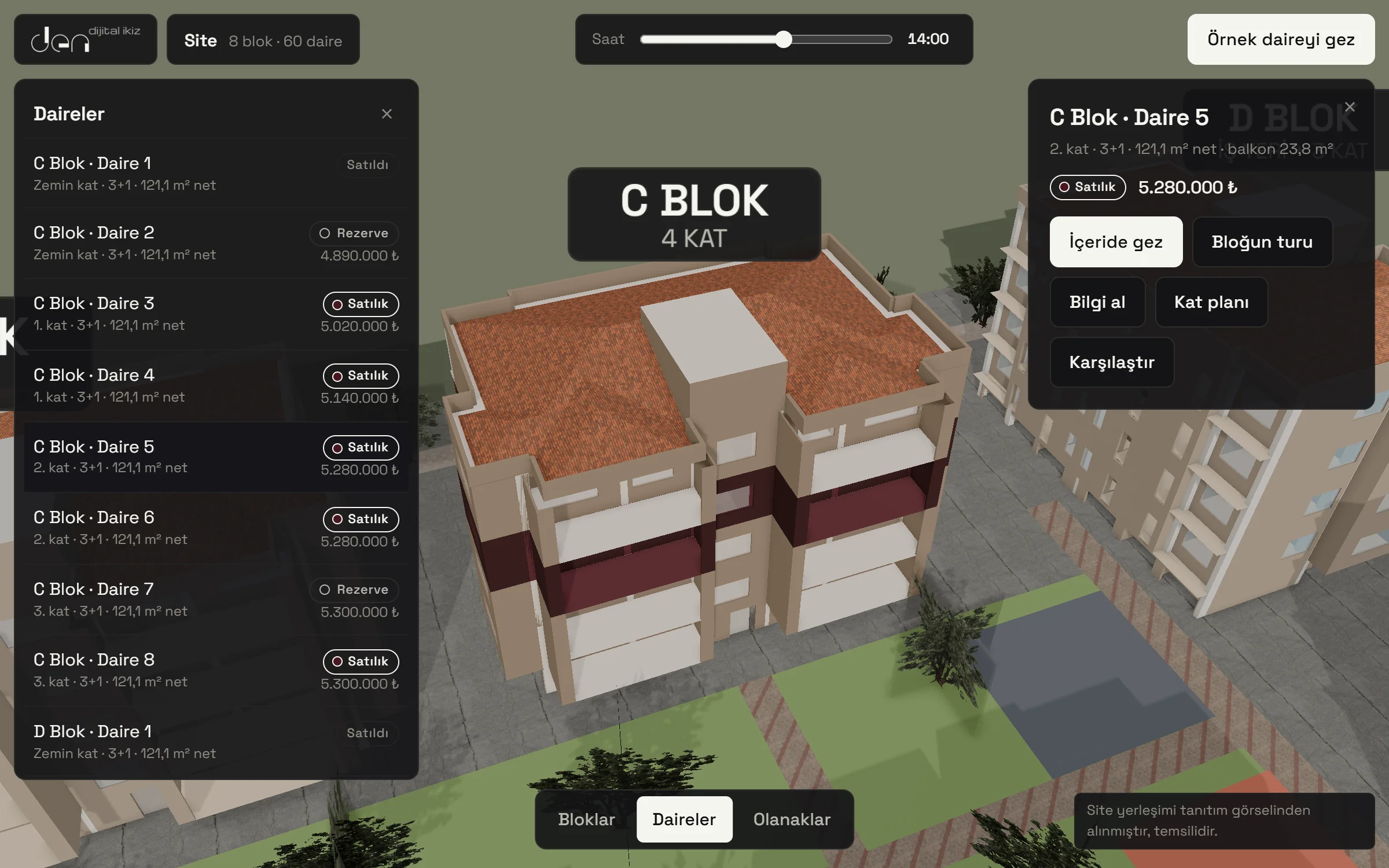
Live inventory
The customer taps a block, or a unit in the list; the unit is highlighted on its floor in the building. Available, reserved and sold statuses appear with prices in the list and on the card, filtered by block, layout and status.
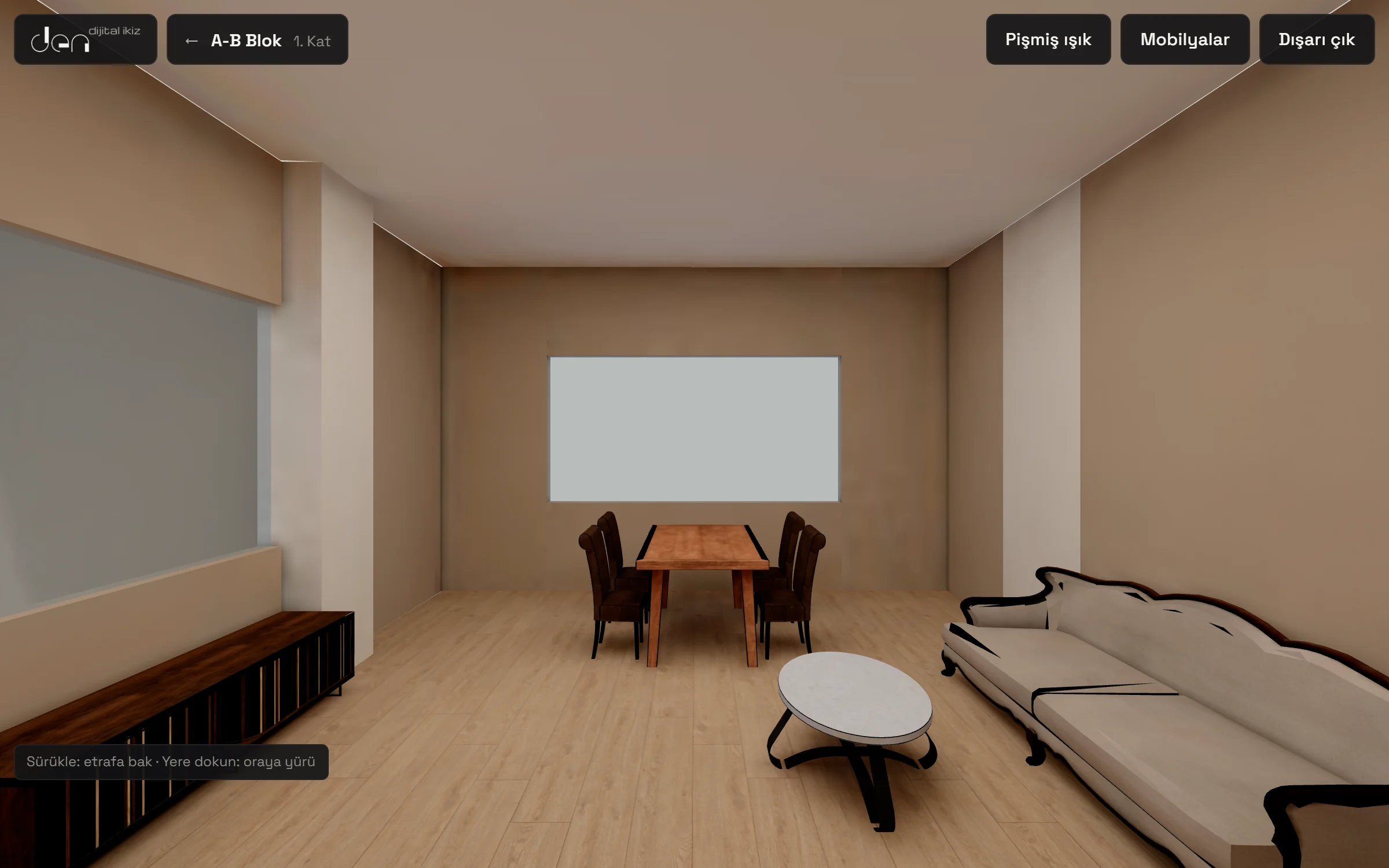
Walk inside
The unit, dressed with finishes, furniture and lighting, opens in the browser, on tablet and on phone; nothing to install. The customer taps to walk, looks around and switches the furniture on and off.
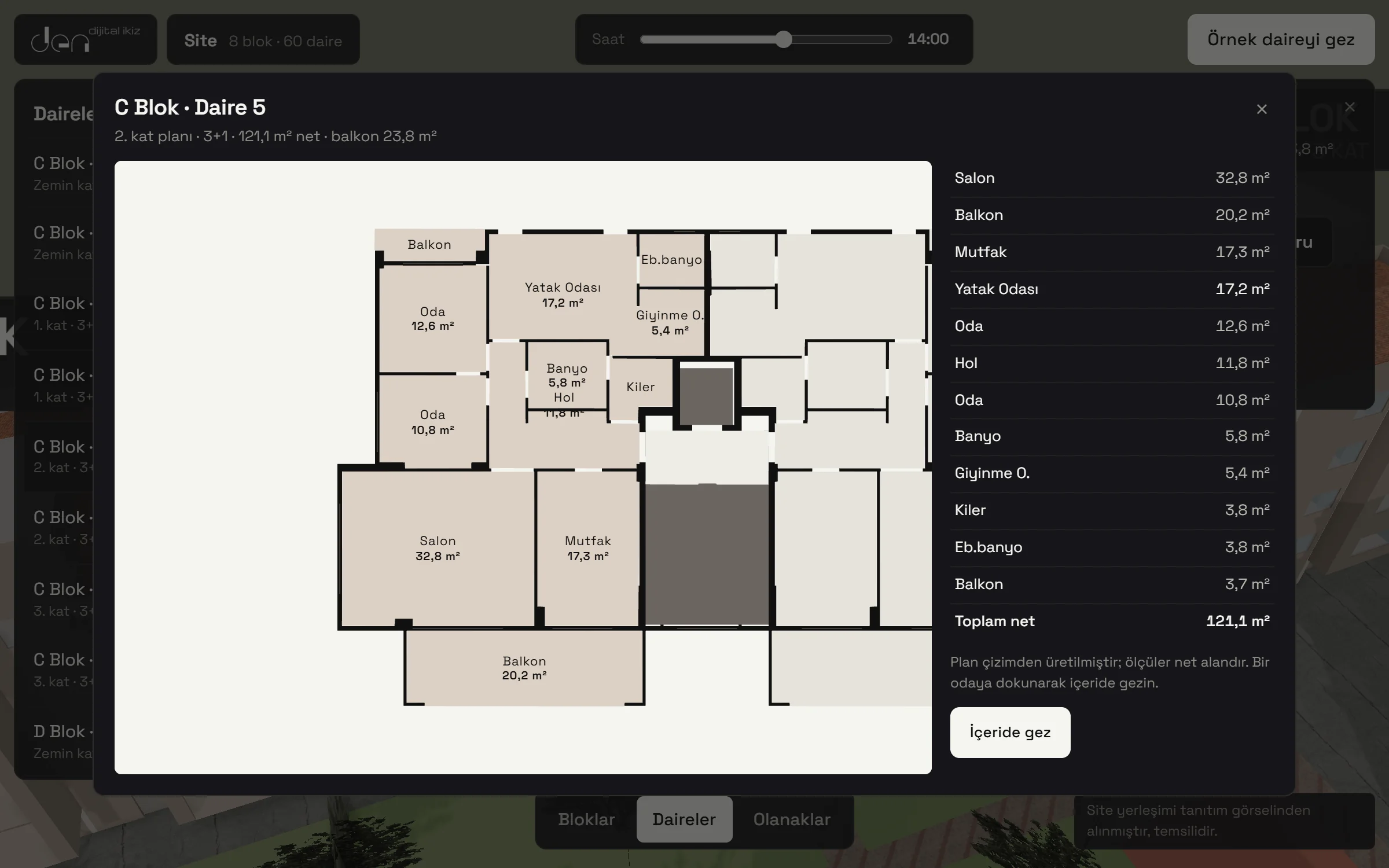
Floor plan
The floor plan is generated from the project drawing; each room's net area and the unit total are listed alongside. Tapping a room on the plan takes the customer inside that room.
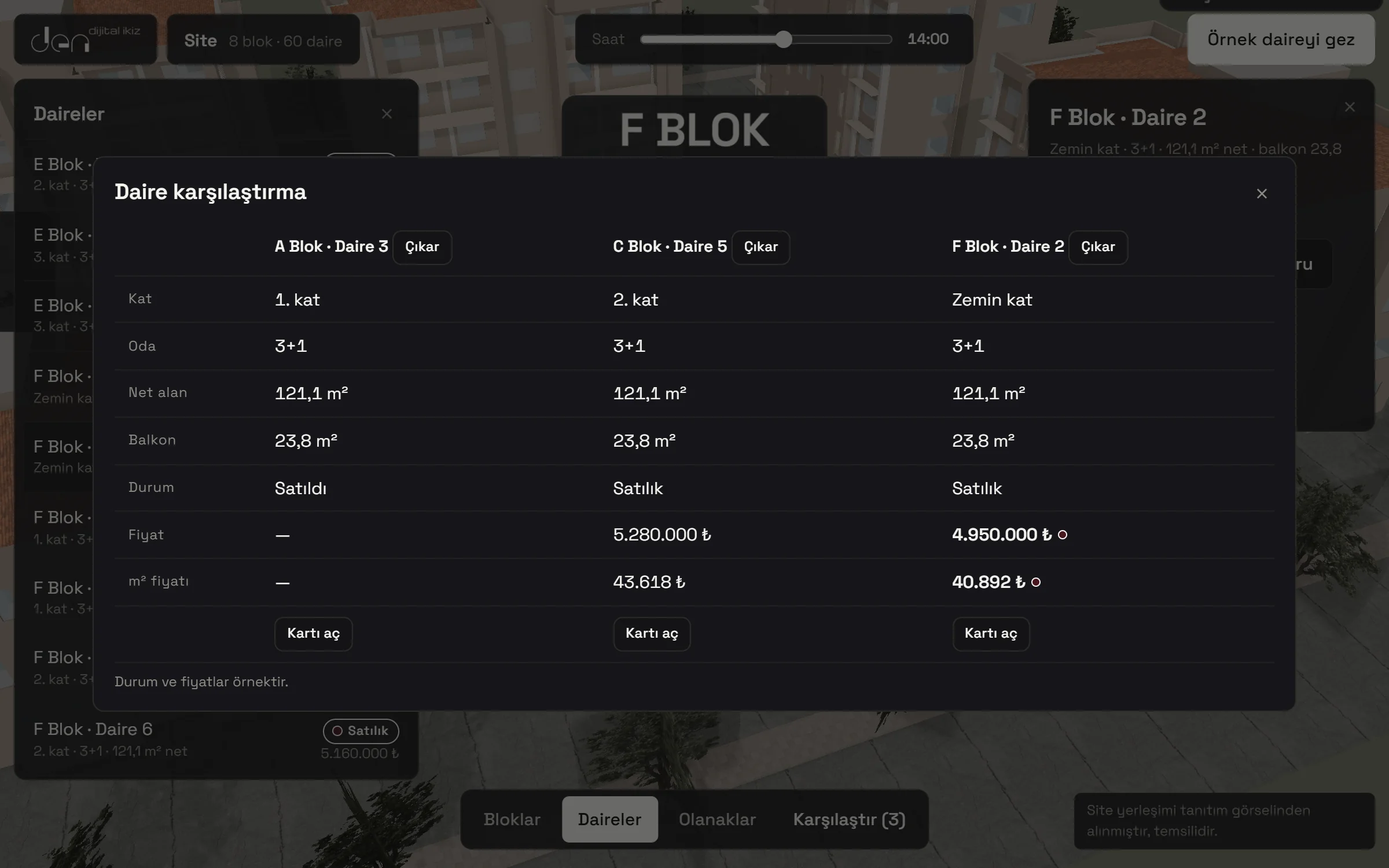
Comparison
Floor, net area, balcony, status, price and price per m² in a single table, with the best values marked. An undecided customer weighs the options on one screen.
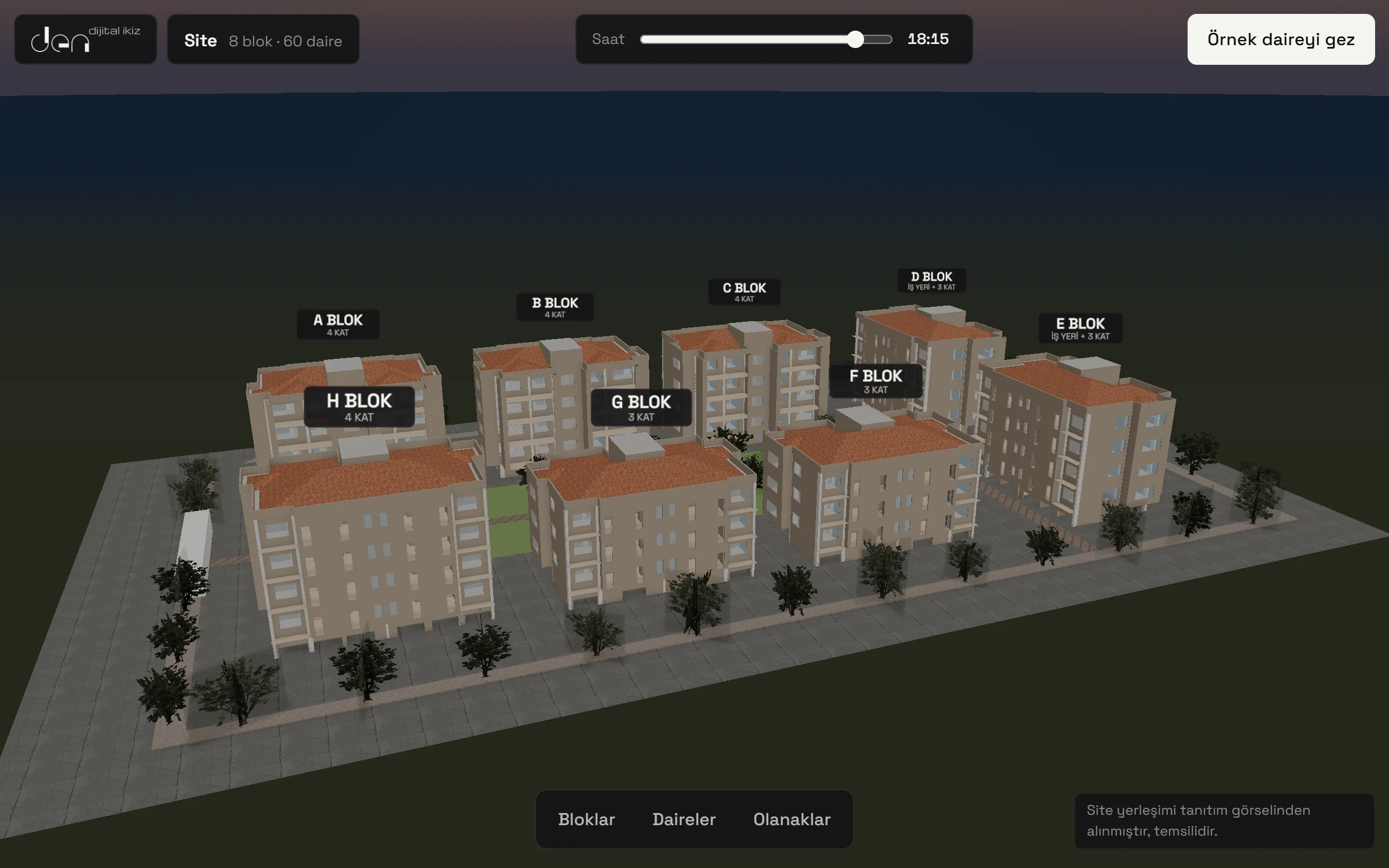
Sun and shadow
The time slider moves the sun and the shadows according to the project's location; the customer sees the light on the site and the unit through the day.
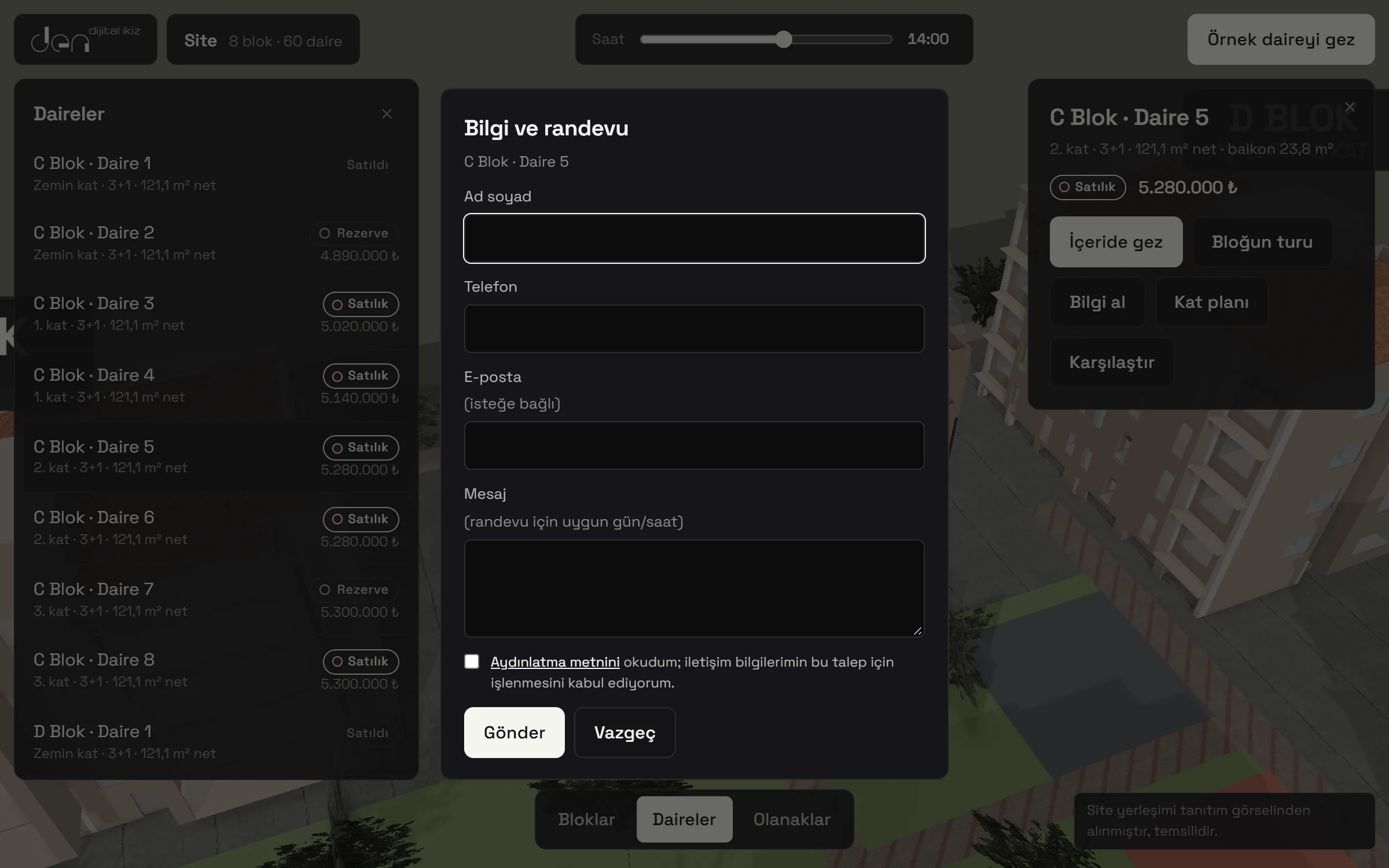
Information and appointments
The customer leaves a request for information or an appointment for the unit they chose; the request is recorded together with the unit it came from. Consent to the privacy notice is part of the form.
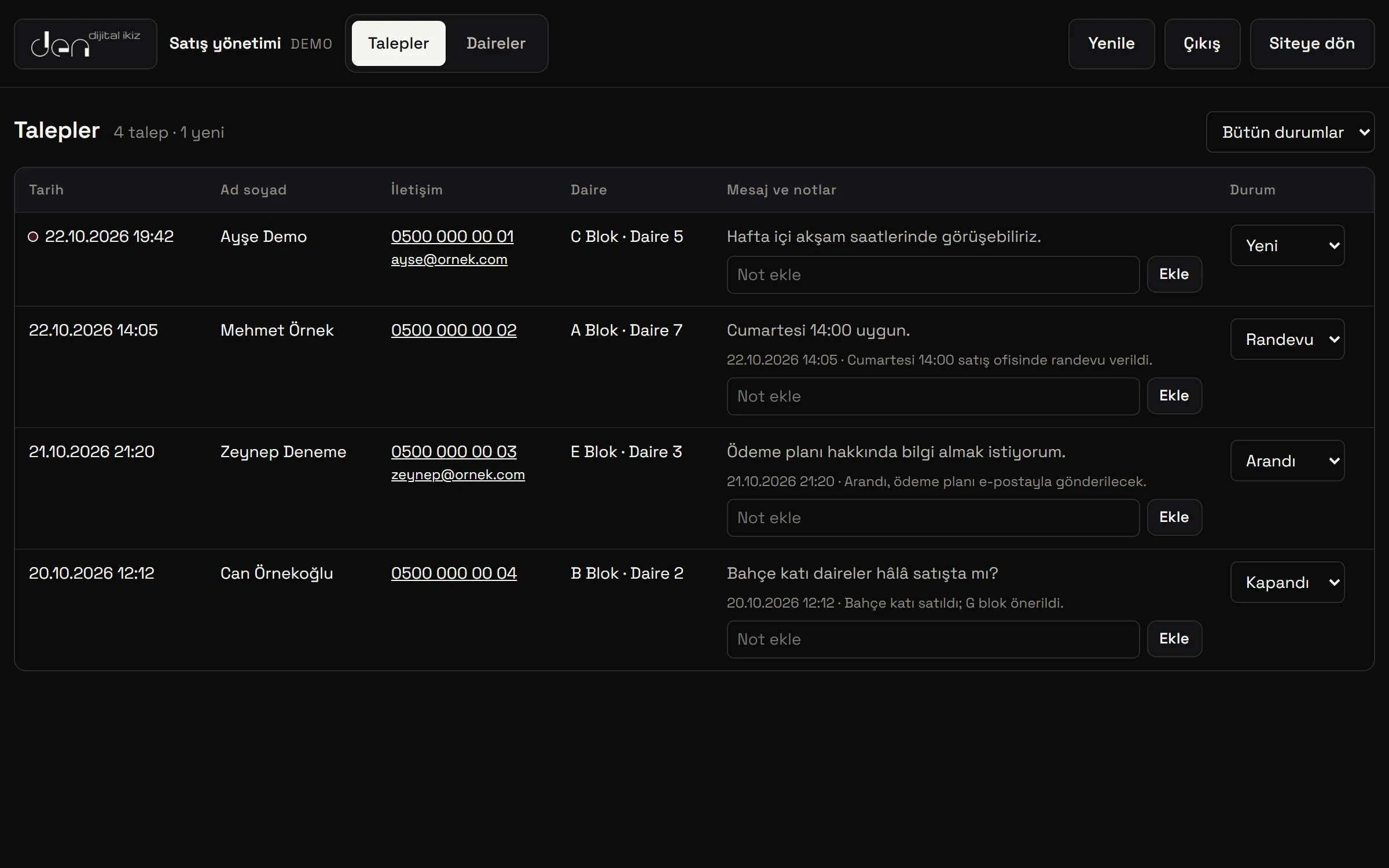
Sales management
The sales team tracks leads by status (new, called, appointment, closed) and adds notes. When a unit's status or price is changed in the panel, it shows on the site right away.
01
The project's DWG/DXF drawings are read; floors, walls, doors and windows, and rooms are extracted.
02
The drawing becomes a building schema with its levels and spaces; ambiguous rules go through human approval.
03
A 3D model is generated from the schema and dressed with finishes, furniture and lighting.
04
The site, the units and the sales panel go live behind a single link.
01
Twins generated from IFC (BIM) models as well as DWG/DXF drawings.
02
For sales teams: tracking down payments, instalments and due dates; notifications for late payments.
03
The goal is to connect data from sensors, meters and automation systems to the model.
04
The goal is to test changes and scenarios on the model before they reach the site.
05
Planned connection to Second Brain's memory; not built yet.
06
If you wish, the model and data will stay on your organization's own infrastructure; data will not leave your facility.